
Think of fraud protection on Shopify as your store's digital security system. It’s designed to spot and shut down sketchy transactions before they can morph into expensive chargebacks. This is your first line of defense for hanging onto your hard-earned revenue and making sure your real customers have a safe place to shop.
Your First Line of Defense Against Fraud

Picture your Shopify store as a real, brick-and-mortar shop. You’d never just leave the doors unlocked all night, right? And you'd definitely keep an eye on someone acting suspiciously inside. That's exactly what fraud protection does for your online store—it's your smart, always-on security guard, constantly watching for threats.
The system works by scanning incoming orders for red flags. It’s like a digital bouncer checking IDs at the door, looking at different pieces of information to decide if a purchase is legit or if it smells fishy. This helps you avoid losing products and getting hit with those painful chargeback fees.
The Modern Fraud Landscape on Shopify
The need for a solid defense is only getting bigger. The world of ecommerce fraud is constantly changing, with fraudsters getting smarter and more organized. In 2024, Shopify merchants celebrated a huge 24% year-over-year sales increase, which is fantastic news. But that kind of success also makes the platform a bigger target for fraud rings using some pretty sophisticated tactics.
This means that simply blocking suspicious transactions isn't enough anymore. It's become a delicate balancing act.
A great fraud strategy is about protecting your revenue, not just preventing losses. The goal is to maximize the number of legitimate orders you can confidently approve while surgically removing the fraudulent ones.
Finding the Right Balance
If your system is too aggressive, you risk blocking real customers, which means lost sales and a lot of frustration. Imagine a loyal customer trying to buy a gift for a friend while on vacation, only to get flagged as high-risk by Shopify's built-in analysis. It’s a terrible experience.
But if your system is too relaxed, you’ll let fraudsters slip right through, and that gets expensive, fast.
This is where knowing your tools is so important. Shopify gives you a great starting point with its built-in fraud analysis, which is enough to get you started. As your store grows, though, you'll likely need something more powerful. Apps like Fraud Falcon let you create custom rules for automated fraud detection, giving you much finer control. For example, you could automatically cancel any order from a specific IP address that has previously resulted in a chargeback. This way, your defenses can grow right alongside your business.
How to Read Shopify's Fraud Analysis Signals
Think of yourself as a fraud detective. Every time an order pops up, Shopify slides a case file across your desk. This file is the Fraud Analysis section in your Shopify Admin, and learning to decode its signals is one of the most powerful skills you can develop to protect your store. It’s your first and best chance to spot a bad order before you ship the product.
Shopify’s system isn’t just a simple thumbs-up or thumbs-down. It’s a collection of clues that, when pieced together, paint a picture of the transaction. Understanding these hints is the key to confidently deciding which orders to fulfill and which to cancel.
This is a make-or-break step in managing your store’s security. You can see just how much of a difference active protection makes.
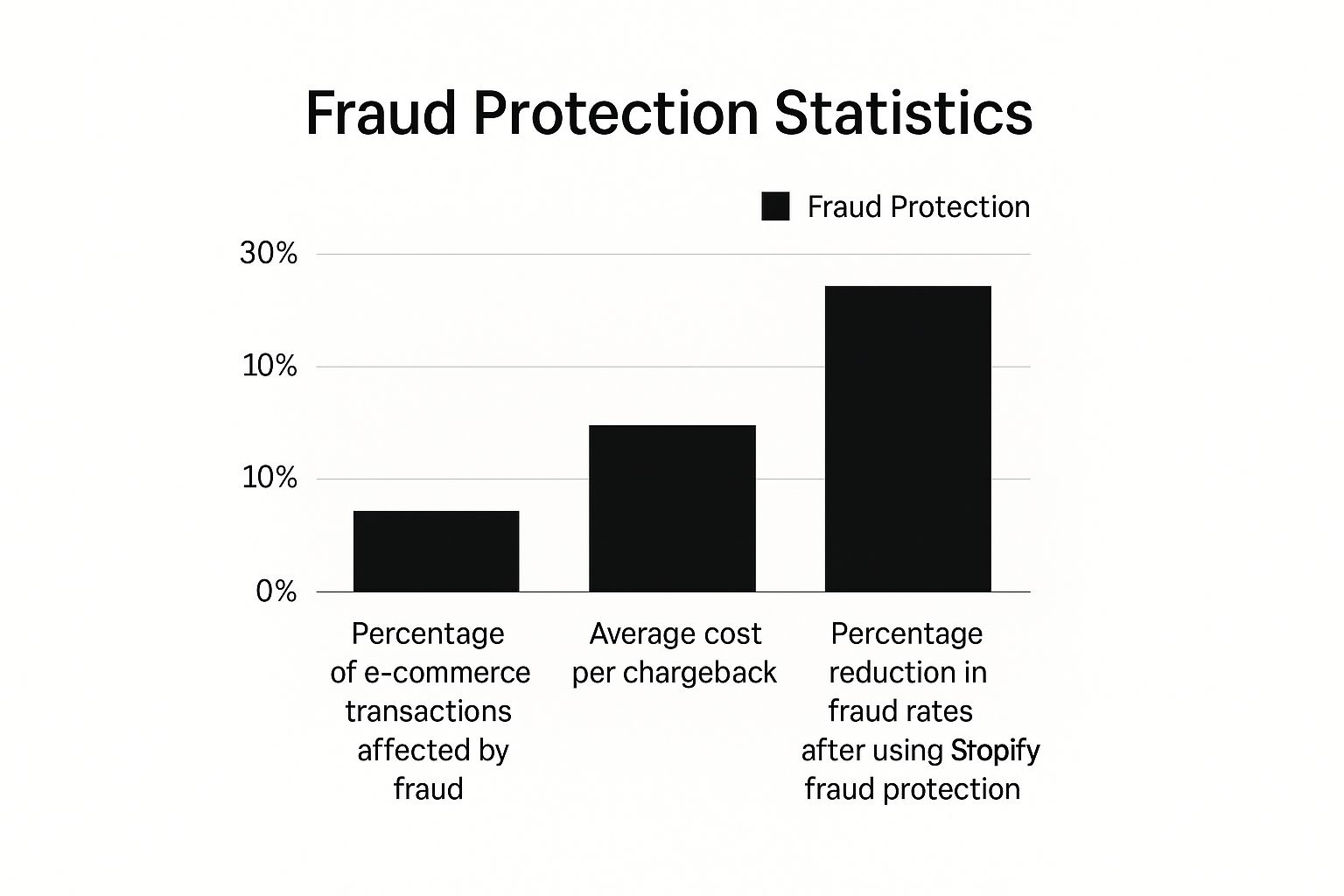
The data speaks for itself—while fraud is a real threat, the right tools can slash those rates dramatically.
Decoding Shopify's Common Fraud Indicators
So, what are these clues? When you open an order in your Shopify admin, the Fraud Analysis section gives you several key data points. Each one tells a part of the story. Let's break down what they mean in the real world.
The dashboard gives you a quick summary, but the real gold is in the details beneath it. Understanding these signals is crucial for manual reviews.
Below is a practical guide to interpreting the most common indicators you'll see in your Shopify dashboard. Think of it as your fraud detective's field manual—it helps you translate the raw data into actionable insights to protect your business.
| Risk Indicator | What It Means for Your Store | Real-World Example | Suggested Merchant Action |
|---|---|---|---|
CVV Mismatch | The 3- or 4-digit code on the card doesn't match the bank's records. This is a strong sign of a stolen card, as fraudsters often only have the card number and expiration date. | A customer enters their card details, but the CVV check fails. In your order timeline, you might see "CVV check: Failed." They might try again, but the system keeps flagging it. | Treat with high suspicion. Combine with other indicators. A failed CVV is a major red flag. |
AVS Mismatch | The Address Verification System found a mismatch between the billing address entered and the one on file with the card issuer. | The billing address is in Miami, Florida, but the shipping address is a PO box in Wilmington, Delaware (a common freight forwarder location). Shopify will show "AVS check: Street address doesn't match." | Investigate immediately. A partial match (e.g., street name matches, ZIP doesn't) still warrants a close look. A full mismatch is very high risk. |
IP Location vs. Shipping | The order was placed from a device in a location far from the shipping or billing address. This suggests someone is masking their true location. | An order is placed from an IP address in Vietnam, but the shipping address is in Texas and the billing address is in California. Shopify's analysis will map this out visually. | This is a classic fraud pattern. Unless there's a good explanation (e.g., a gift), consider canceling the order. |
Multiple Failed Payments | A high number of failed payment attempts before a successful one. Legitimate customers might mistype once, but multiple failures are suspicious. | In the Shopify order timeline, you see 5-10 failed attempts with different card details or expiration dates before one finally goes through. The fraudster is likely cycling through a list of stolen cards. | Flag for immediate manual review. A high number of attempts is almost never a good sign. |
Remember, context is everything. While one indicator might have a simple explanation, a combination of them almost always points to fraud. It's about seeing the whole picture, not just one piece of the puzzle.
Connecting the Dots to Make a Decision
Now, let's put the detective work into practice. Imagine an order lands in your Shopify queue with this profile:
- The AVS shows a partial match—the street address matches, but the ZIP code is wrong.
- The IP address is from a different country than the shipping address.
- The customer made five failed payment attempts before one finally worked.
Taken alone, any of these could be a simple mistake. But together? They form a highly suspicious pattern. This looks like a fraudster using a stolen credit card and trying to ship the goods to a known freight forwarder. Your safest bet here is to cancel the order.
For more deep dives on interpreting these complex signals, you can explore the articles on the Fraud Falcon blog.
Automating Your First Line of Defense with Shopify Flow
Manually reviewing every single order just isn't scalable. As your store grows, it becomes a massive time-sink. This is where a little automation can be a game-changer. For merchants on eligible Shopify plans, Shopify Flow is a fantastic tool to handle some of the grunt work.
You can set up a simple workflow to automatically tag orders that need a closer look.
- Practical Example: In Shopify Flow, create a workflow with the trigger "Order risk analyzed." Then, add a condition: "If Order risk level is equal to High." For the action, choose "Add order tag" and input "Review Needed."
This doesn't cancel the order outright. Instead, it flags it so you or your team know to investigate before it goes to fulfillment. It’s a simple but effective way to organize your fraud prevention process without letting critical threats slip through the cracks.
The Hidden Dangers of Default Fraud Settings
Shopify's built-in tools are a fantastic starting point for any new store. Think of them as a vigilant gatekeeper, watching the front door. But as your business grows, relying only on these default settings can backfire in a big way. It creates an expensive, invisible problem you might not notice until it’s too late.
The real danger isn't just letting a fraudster slip through; it's turning a good customer away.
This costly mistake has a name: a false decline. It’s what happens when a perfectly legitimate order gets incorrectly flagged as high-risk and is canceled, either by you or an automated rule. You’ve successfully blocked a threat that never existed, but in the process, you've lost a sale, torched your marketing spend, and probably lost a customer for good.
The financial sting from false declines is real. Every rejected order is money straight out of your pocket, and research shows these losses often add up to more than the cost of actual fraud. But the damage goes far beyond a single transaction.
The True Cost of a False Decline
When a customer gets an email saying their order was canceled out of the blue, their reaction isn't usually understanding. They feel frustrated and distrusted, and that sour experience sticks.
Here’s a quick rundown of what you actually lose:
- Immediate Revenue: The value of that specific order is gone. Instantly.
- Customer Lifetime Value (CLV): That frustrated customer isn't coming back. You’ve just erased all their potential future purchases.
- Reputation Damage: Unhappy customers talk. They might tell their friends or post on social media, tarnishing your brand's reputation.
- Wasted Marketing Costs: The money you spent on ads to bring that customer to your store? Completely wasted.
The real goal of fraud protection for Shopify isn't just about blocking bad orders. It's about confidently approving every single good one. Shifting your mindset from pure defense to protecting revenue is key to scaling your store.
Why Default Settings Can Be Overly Cautious
Shopify’s built-in analysis is designed to play it safe. It’s conservative by nature, which makes sense, but it also leads to a lot of false positives.
Practical Example: A loyal customer who lives in New York is traveling for work in California. They order a gift to be sent to their parents in Florida. The Shopify system sees a New York billing address, a California IP address, and a Florida shipping address. This complex but legitimate scenario is often flagged as "High Risk," tempting you to cancel a perfectly good sale.
This isn't just a hypothetical. An analysis of over 10 million e-commerce transactions found that Shopify's standard tool can be extremely cautious. The study revealed that a whopping 23.1% of orders that Shopify flagged as 'high-risk' were actually perfectly legitimate. Even more telling, an incredible 80% of orders marked 'medium-risk' were completely safe to ship. You can dig into the data yourself on the NoFraud blog.
This data shines a spotlight on a massive gap. While the default tools are a necessary first line of defense, they just don't have the nuance to understand complex, human buying behavior. As your store grows, you need a smarter strategy—one that can tell the difference between a loyal customer on holiday and a genuine threat. That's how you maximize revenue while giving your real customers the seamless experience they expect.
Did you know one of the most powerful fraud prevention tools for your store is probably already built-in? I'm talking about Shopify Payments. It's so much more than just a way to get paid; it’s a security powerhouse working behind the scenes to guard your revenue.
Think of it as a smart gatekeeper for your finances. It uses sophisticated tech to check out transactions without making the checkout process clunky for your customers. This seamless integration is why it's a cornerstone of any solid defense strategy, especially if you want to automate your security.
How 3D Secure Adds a Crucial Security Layer
The magic behind Shopify Payments' security is a technology called 3D Secure (3DS). It’s like a quick, digital handshake between your store, your customer's bank, and the credit card company. When someone makes a purchase, 3DS might prompt an extra authentication step—like a one-time code sent to their phone or a quick approval in their banking app.
What's brilliant is how Shopify handles this. It doesn't force this check on every single purchase, which would annoy legitimate customers. Instead, Shopify intelligently decides when to use 3DS based on the riskiness of the transaction. This strikes the perfect balance between iron-clad security and a smooth checkout. Most of your real customers won't even notice it's there.
The Power of the Liability Shift
Now, for the part that really matters to you as a merchant: the liability shift. This is a massive benefit of using 3D Secure through Shopify Payments.
Normally, when a fraudulent chargeback hits, it's a triple-whammy: you lose the product, you lose the revenue, and you get slapped with a fee. But for transactions authenticated with 3D Secure, that financial responsibility often "shifts" from you back to the card-issuing bank.
In plain English: if a chargeback is filed for fraud on a 3DS-approved order, you're protected. The bank that issued the card has to eat the cost, not your store. This protection alone makes activating Shopify Payments a no-brainer for serious fraud prevention.
This liability shift gives you a vital financial safety net, letting you accept more orders without sweating every transaction.
The Financial Impact of Smart Authentication
The technology powering Shopify Payments is always getting smarter. For instance, Shopify has been testing a preauthorization model that uses machine learning to decide exactly when to trigger 3DS. This intelligent approach resulted in a 20% drop in fraudulent chargebacks and a real bump in successful payments.
To put that in perspective, if this model had been running for all of 2024, it would have saved merchants around $62 million in chargeback costs and helped them secure an extra $471 million in sales. Those numbers speak for themselves, showing just how much an integrated, smart payment system can do for your security and your bottom line. You can read more about Shopify's payment optimizations and what they mean for merchants.
How to Choose the Right Fraud Protection App

As your store grows, you start to feel the pain points of Shopify’s default fraud settings. Manually reviewing every single medium-risk order just isn't scalable, and you start to wonder how much money you're leaving on the table from false declines.
This is the classic sign that it’s time to level up your security with a dedicated fraud protection Shopify app.
Jumping into the Shopify App Store can be a bit much. You're hit with dozens of options, all making bold claims about stopping fraud dead in its tracks. To find the right fit, you need to cut through the marketing fluff and focus on what actually works for your business. The real goal isn't just stopping fraud—it's about safely approving more good orders and protecting your bottom line.
Your perfect solution will depend on your store's unique risk profile, how many orders you're processing, and your budget. Let’s walk through the must-have features you should be looking for.
The Chargeback Guarantee Safety Net
First things first: look for an app that offers a chargeback guarantee. Honestly, this is a non-negotiable for many merchants. Think of it as an insurance policy for every sale you make. When an app offers this, they're putting their money where their mouth is.
Here’s how it works: if the app approves an order that later turns out to be fraudulent and results in a chargeback, the app company covers the full cost. This completely removes the financial risk from your shoulders, letting you fulfill orders with total confidence.
A chargeback guarantee shifts fraud protection from being a pure cost into a tool for growing revenue. It gives you the confidence to say "yes" to orders you might have otherwise canceled, all while knowing you're financially protected.
For stores in high-risk categories or those scaling quickly, this single feature is an absolute game-changer. It’s a powerful safety net that lets you focus on growth instead of constantly looking over your shoulder for potential losses.
Evaluating AI and Machine Learning Capabilities
You'll see "AI and machine learning" thrown around a lot, but what does that really mean for your store? A great system does way more than just follow a simple checklist. It dives deep, analyzing thousands of data points in real-time to understand the story behind every order.
A genuinely smart system can tell the difference between a fraudster using a proxy to hide their location and a legitimate customer who's just shopping while on vacation. That kind of nuance is what slashes your false decline rate. When you're comparing apps, don't be afraid to ask about their approval rates—a higher number usually means their tech is more sophisticated.
Customization and Control Over Rules
While a powerful AI doing the heavy lifting is great, you should never give up complete control. The best apps let you create your own custom rules that are tailored to the specific quirks and risks of your business.
Practical Example: Maybe you've noticed a pattern of fraud with orders using a specific email domain like @mail.ru. With an app like Fraud Falcon, you can create a rule to automatically cancel any order where the customer's email contains that domain. Or you could automatically tag any order over $500 for a quick manual review before it's fulfilled.
For a hands-on look at how this works, check out our guide on how to create a fraud rule from past orders.
Comparing Top Shopify Fraud Protection Apps
With so many options, a side-by-side comparison can make your decision much clearer. Each app has its own strengths, whether it's an ironclad guarantee, powerful automation, or a pricing model that fits your budget.
Here’s a quick look at some of the leading players in the space:
| App Name | Key Feature | Chargeback Guarantee | Best For |
|---|---|---|---|
Fraud Falcon | Highly customizable rules & automation | No | Stores that want deep control and automated workflows to block fraud before it happens. |
Signifyd | AI-powered decisions & full automation | Yes | High-volume stores looking for a hands-off, fully guaranteed solution. |
ClearSale | Hybrid AI + human review team | Yes | Businesses in high-risk industries that need expert manual review on complex orders. |
NoFraud | Real-time screening & pass/fail decisions | Yes | Merchants who want simple, definitive decisions and financial protection on every order. |
Choosing the right app is about balancing features with your specific needs. An app with a chargeback guarantee offers incredible peace of mind, while one with deep customization gives you the power to fine-tune your defenses.
Finding the Right Pricing Model
Finally, let's talk cost. Fraud app pricing isn't one-size-fits-all, so you need to find a model that makes sense for your store's finances.
Here are the usual suspects:
- Percentage of Sales: The app takes a small slice (usually 0.5% - 1.5%) of your total monthly sales. This model grows with you but can get pricey for bigger stores.
- Per-Transaction Fee: You pay a small, fixed fee for every single order the app screens. It's predictable, but it can add up if you sell a lot of low-value items.
- Tiered Subscription: You pay a flat monthly fee based on your order volume or revenue bracket. This is a fantastic option for stores with consistent sales, as it keeps your costs predictable.
In the end, the best fraud protection app is the one that feels like a natural part of your workflow, saves you more money than it costs, and gives you the peace of mind to get back to what you do best—growing your business.
Building Your Complete Fraud Prevention Playbook
Having the right apps and settings is a massive step forward, but the best fraud protection Shopify merchants have is a strong set of daily habits and clear internal policies. Think of your tech stack as the security system for your store; your playbook is how your team actually uses it to keep the place safe.
The goal is to build a repeatable, multi-layered process for managing risk. This turns your fraud strategy from a reactive scramble into a proactive defense, giving your team a clear, consistent approach for handling suspicious orders. When things get busy, nothing falls through the cracks.
Creating Your Daily Security Checklist
This is like your store's opening and closing procedure for security. These are simple, actionable steps you can put into place today to catch potential threats before they turn into painful chargebacks. Consistency is everything here—it makes your entire operation much more resilient.
Your daily checklist should include:
- Set Up Smart Alerts: In your Shopify settings, you can enable fraud risk notifications. Better yet, use Shopify Flow to create an alert that sends your team a Slack message or an email for any order over $1,000, ensuring immediate review.
- Mandate CVV Verification: In your Shopify Payments settings, ensure that CVV verification is required. A failed CVV is one of the strongest and most immediate signs that a fraudster is just testing a list of stolen card numbers.
- Monitor Shipping Address Patterns: Keep an eye out for orders shipping to freight forwarders or PO boxes. These aren't always fraudulent, but they become very suspicious when paired with other red flags, like an international IP address on a domestic order.
Training Your Team to Spot Red Flags
Your customer service team is on the front lines, and their intuition can be an incredible asset. You need to train them to recognize the subtle signs of a fraudulent order that an automated system might miss. This human element adds a critical layer to your defense that technology alone can't replicate.
Here are the key warning signs to train your team on:
- Urgent or Demanding Communication: Fraudsters often create a false sense of urgency. They'll pressure your team to ship an order right now before you have a chance to investigate properly.
- Vague or Inconsistent Emails: Look for poorly written emails with generic greetings ("Dear Sir/Madam") or information that doesn't quite match the order details.
- Requests to Change Shipping Address: This is a classic tactic. A fraudster places an order with a matching billing and shipping address to pass initial checks, then immediately contacts support to change the delivery location after the order is approved. Your team should have a strict policy to never change the shipping address after an order is placed and instead cancel and ask the customer to re-order.
A well-defined playbook empowers your team to make confident decisions. It transforms fraud management from a stressful guessing game into a structured process, which reduces mistakes and takes the pressure off your staff.
To really dial in your approach and build a rock-solid defense, consider exploring comprehensive Shopify fraud prevention strategies that cover everything from initial setup to more advanced tactics.
Bolstering Your Technical Defenses
Finally, your playbook needs a few simple technical measures. These act as gatekeepers, stopping automated bots in their tracks and making it much harder for fraudsters to operate at scale.
- Implement CAPTCHA: Add a CAPTCHA to your checkout and account creation pages. This simple step, available in your Shopify settings (Settings > Checkout), is incredibly effective at stopping bots from "card testing"—using your site to verify lists of stolen credit card numbers.
- Review Your Return Policy: Make sure your return policy is crystal clear and always requires proof of purchase. Scammers love to exploit lenient or confusing policies through return fraud. Post this policy clearly on a dedicated page on your Shopify store.
Building this playbook doesn't have to be a complicated, drawn-out process. It's all about combining smart tools with smart habits to create a security culture that protects your revenue and your brand's reputation.
Shopify Fraud Protection FAQ
Figuring out the world of ecommerce security can feel a little overwhelming. As a Shopify merchant, you've probably got questions, and getting a handle on the tools and strategies available is the first step to protecting your revenue. Here are some clear, straight-to-the-point answers to the most common questions we hear about fraud protection on Shopify.
Our goal is to give you information you can actually use right now to solve problems and tighten up your security.
Does Shopify Automatically Block High-Risk Orders?
No, not out of the box. Shopify's built-in Fraud Analysis tool acts more like an advisor. It flags orders as low, medium, or high risk to give you a heads-up, but it won't automatically cancel anything for you. The final call to fulfill or cancel an order is always yours.
That said, you can set up this kind of automation yourself. If you're on an eligible plan, you can use Shopify Flow to build a simple workflow that automatically cancels any order tagged with a "high" risk level. For more advanced rules, a dedicated third-party app can manage this process for you.
What Is a Chargeback, and Why Is It So Bad for My Store?
A chargeback is basically a forced refund started by a customer's bank. It's a triple threat to your business: you lose the product, you lose the money from the sale, and you get slapped with a separate, non-refundable chargeback fee from your payment processor. These fees can sting, usually running anywhere from $15 to$ 100.
The damage doesn't stop with a single lost sale. A high chargeback rate can seriously tarnish your reputation with payment processors. This can lead to higher processing fees or, in a worst-case scenario, they might just shut down your merchant account, making it impossible to accept credit card payments at all.
This is why keeping chargebacks under control is so critical to the financial health of your store.
Can I Get 100 Percent Protection from Fraud?
While it’s impossible to stop every single fraud attempt before it happens, getting 100% financial protection from fraudulent chargebacks is absolutely achievable. This is where a chargeback guarantee comes into play, a service offered by top-tier fraud protection apps on the Shopify App Store.
Here’s the breakdown: the app analyzes every single transaction and gives you a decision. For every order they tell you to approve, they take on the full financial liability. If that approved order turns out to be fraudulent and you get a chargeback, the app provider pays you back for the entire amount. This kind of guarantee offers total financial peace of mind, letting you approve more orders and grow your business without constantly looking over your shoulder for fraud losses.
For a shorter walkthrough of the native tools and where each one stops, see Shopify fraud protection.
Ready to build a smarter, automated defense against fraudsters? Fraud Falcon lets you create custom rules to block high-risk orders before they can become costly chargebacks. Protect your revenue and streamline your operations by installing Fraud Falcon today. Get started with a 14-day free trial.